Project Overview
Vestra Bank is a mobile banking concept designed to simplify how Nigerians manage money on the go. The app prioritizes clarity, speed, and control, helping users perform everyday tasks like transfers, bill payments, and wallet top-ups effortlessly.
The Problem
Most digital banking apps in Nigeria spread essential features across too many screens, making daily tasks harder than necessary. Users want quick access to balances, transactions, and payments without excessive taps or confusion
The Goal
Centralize key banking tasks within fewer, smarter screens
Improve financial visibility with clear visual hierarchy
Support dark and light modes for user comfort
Deliver a premium feel without visual overload
Design Process
I applied a user-centered, token-based approach using Figma:
Sketched out flows with responsive wireframes
Built a design system using reusable tokens (color, spacing, text)
Created high-fidelity UI screens for each core flow
Maintained accessibility, clarity, and interaction consistency
Used auto layout and constraints to ensure responsiveness
Key Flows
Onboarding & Authentication
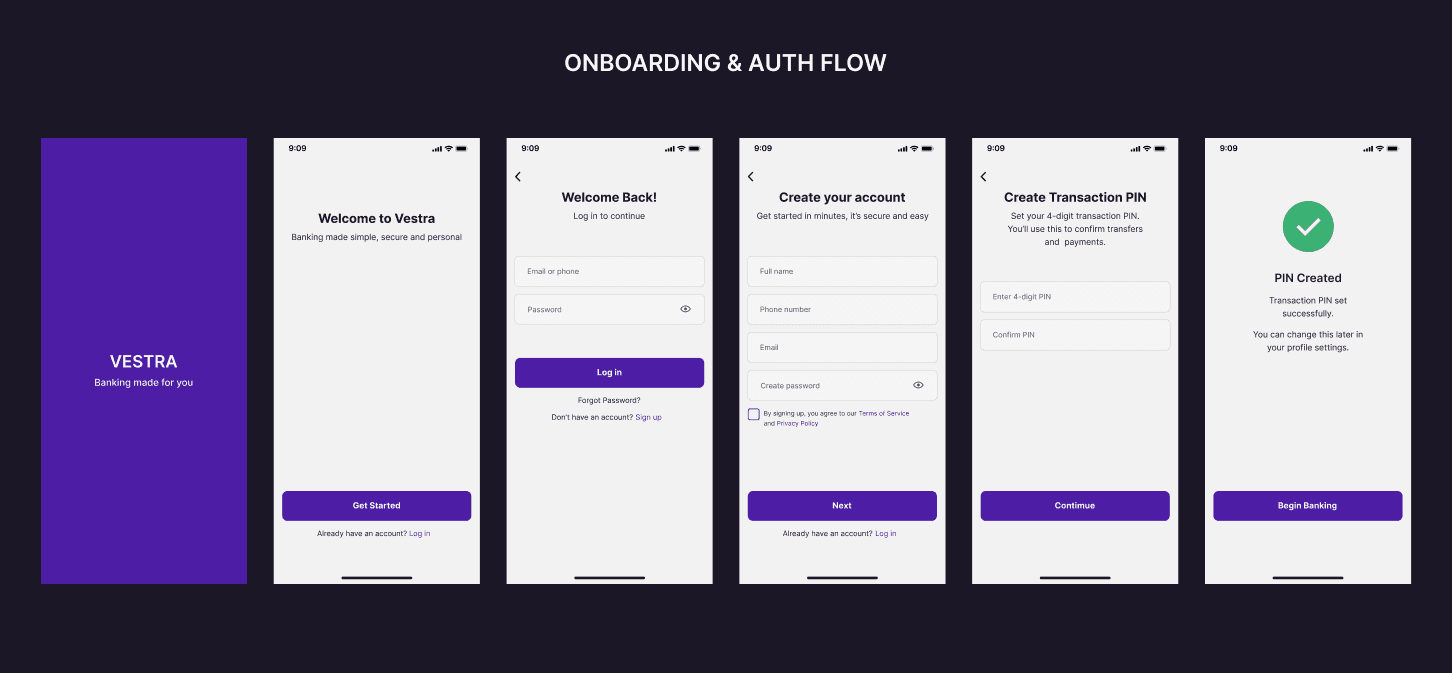
Smooth sign-up and login experience with clear entry points, short forms, and an intuitive layout. New users are prompted to create a transaction PIN to secure future payments.
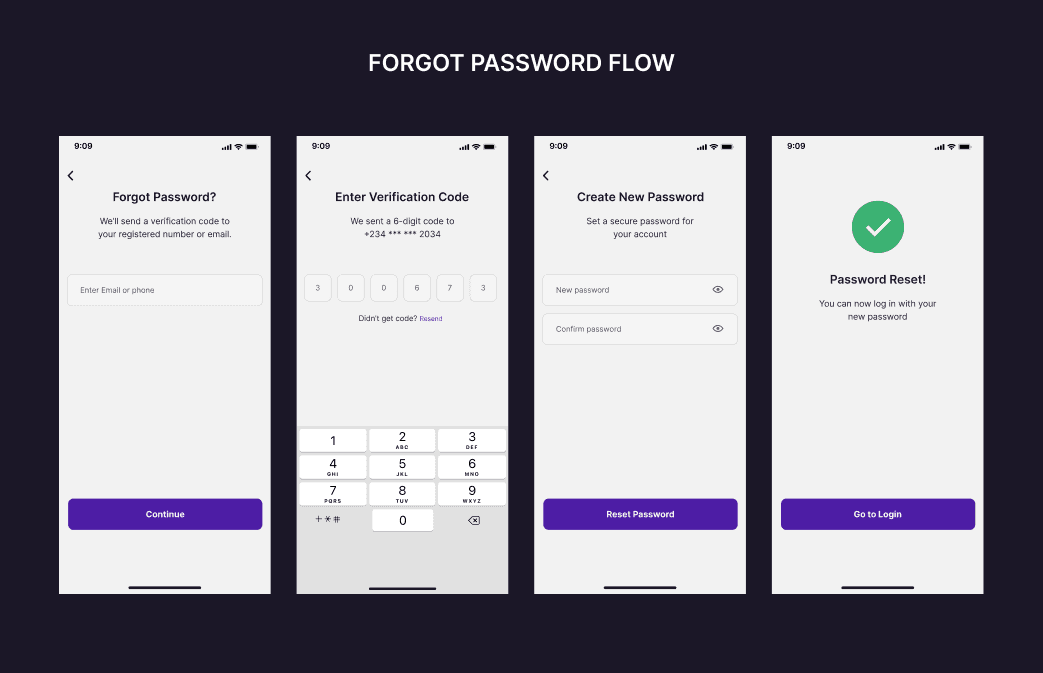
Forgot Password
Lightweight recovery flow that ensures ease without compromising security or trust.
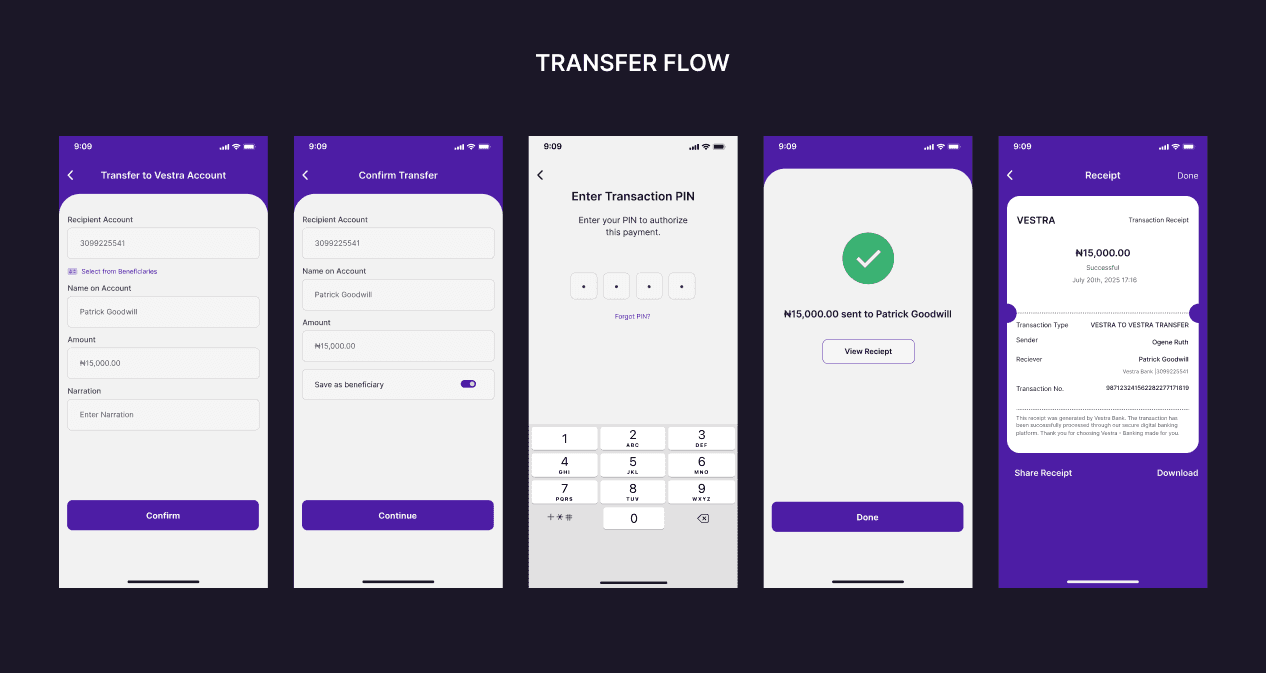
Transfer Flow
Send money to Vestra or other banks with minimal steps. After reviewing payment details, users enter their PIN to authorize the transaction. Beneficiaries can optionally be saved after each transfer.
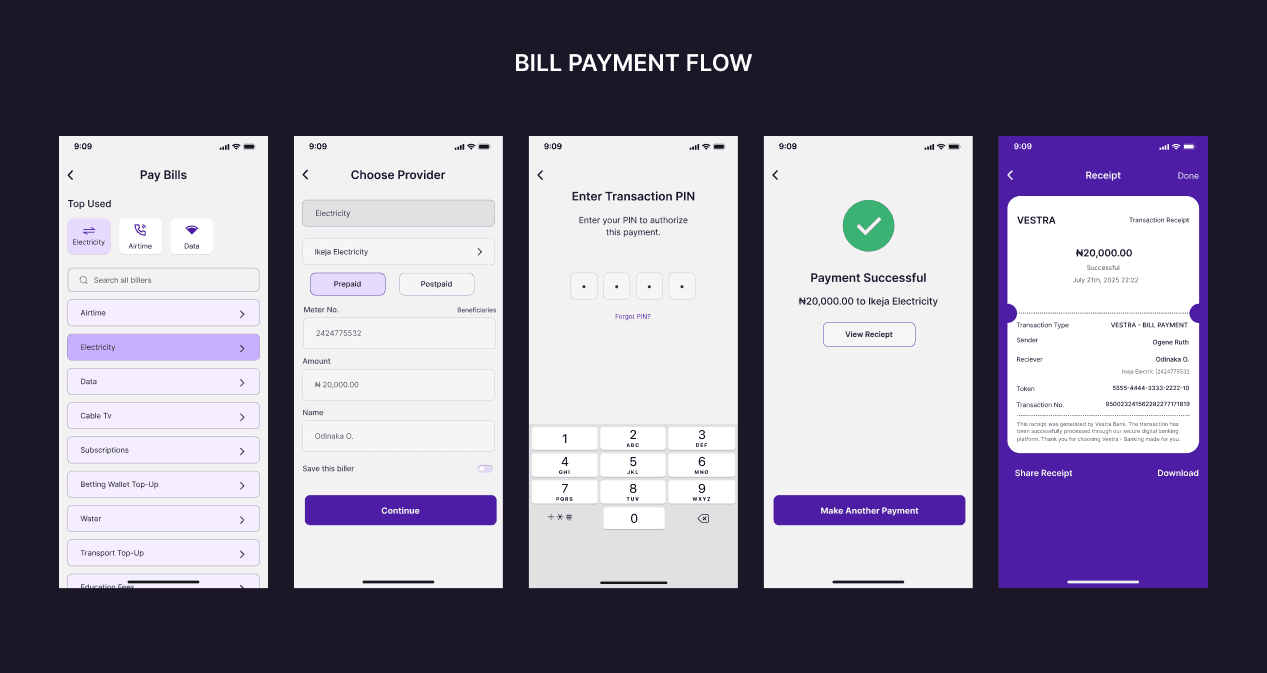
Bill Payment
Pay for Airtime, Data, Electricity, Water and more with quick-access layouts that prioritize frequent bills. Transaction is authorized with PIN entry before confirmation.
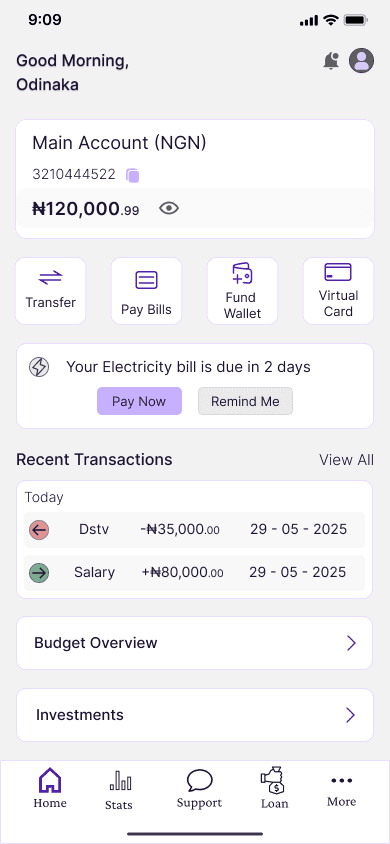
Dashboard Experience
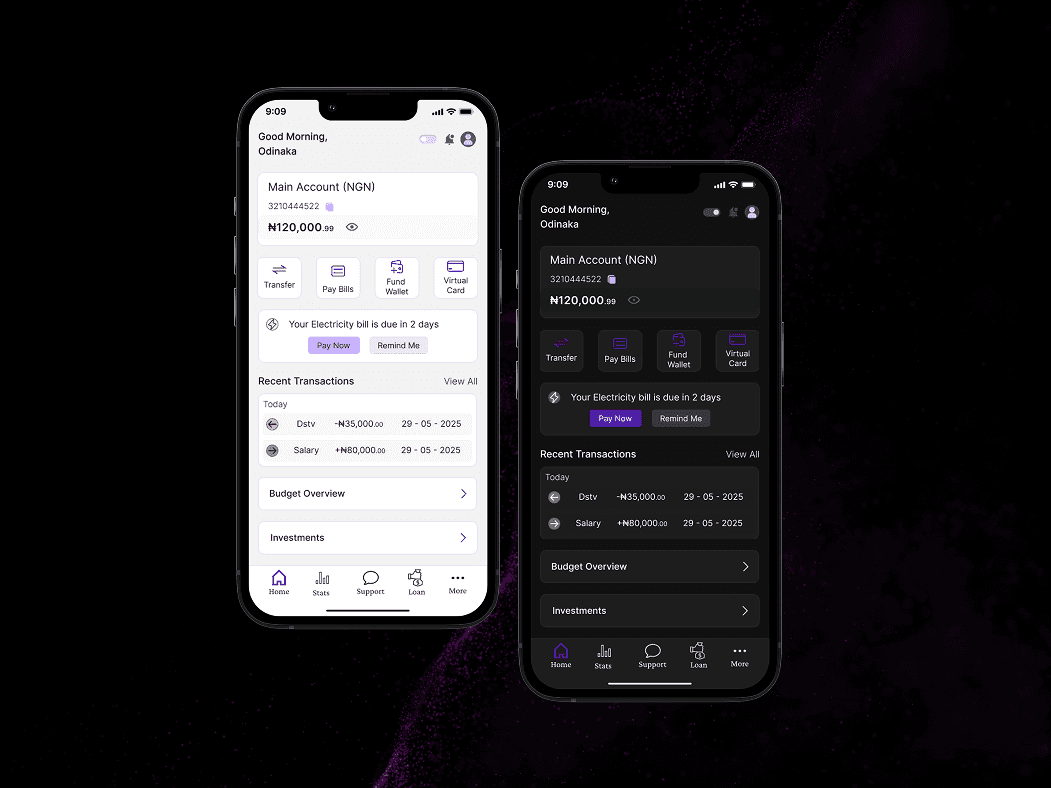
A single-screen dashboard brings everything together:
Wallet balance, recent transactions, and bill reminders
Core actions like Transfer, Pay Bills, Fund Wallet, and Virtual Cards
Expandable sections: Budgets, Investments, Loans, Statistics
The dashboard centralizes the most important actions and insights into a clean, glanceable experience, balancing functionality with calm visual rhythm.
Visual Style & System
Design Tokens: Brand-based purples, calm neutrals, and defined spacing
Accessibility: Large touch areas, clear type hierarchy, and intuitive navigation
Dark Mode: Modern and sleek; Light Mode: Clean and familiar
Built for mobile-first, with responsive layout best practices
Light & Dark Mode Adaptation
Modern users expect comfort in all lighting environments, especially when managing money. Vestra Bank supports both light and dark modes, with subtle changes in background contrast, text colors, and brand accents to ensure:
Consistency across visual themes
Visual clarity without glare or eye strain
Accessible contrast and icon visibility
Retained hierarchy and focus on CTAs (like “Pay Now”)
For this demo, the main dashboard was used to show how Vestra adapts between light and dark mode while preserving structure and readability
Solution & Outcomes
Designed core banking flows (onboarding, transfers, bill payments) to streamline key tasks and reduce user effort.
Delivered a clean, responsive dashboard combining balances, shortcuts, and transactions for faster navigation.
Created light/dark mode UI with accessible contrast and token-based scalability for future features.
Developed reusable components enabling consistent UI patterns and long-term product growth.
Prototype
Watch the short walkthrough below (from Splash Screen to Transfer Flow) for a quick sense of the user journey.
🔗 Explore the full clickable prototype